


Table of Contents
ToggleCall of Duty remains one of the most competitive shooters on the market, and 2026 is no exception. Whether you’re grinding ranked multiplayer, dominating in Warzone, or pushing through campaign content, the gap between casual players and those who truly excel often comes down to knowledge, not just clicking heads. Understanding Call of Duty exploits, optimizing your settings, and mastering positioning separates the players holding Ws from those spawn-camped in the respawn menu. This guide covers the tactics, techniques, and setup optimizations that give you a legitimate competitive edge without cutting corners.
Key Takeaways
- Call of Duty exploits differ from cheating—exploits are unintended game mechanics you can legally use until patched, while cheating via third-party software results in permanent bans and hardware flagging.
- Optimal mouse sensitivity ranges from 5–12 in-game with 400–800 DPI for precision tracking, while controller players should use 8–10 sensitivity with tight deadzone settings (0.05–0.08) to eliminate input lag.
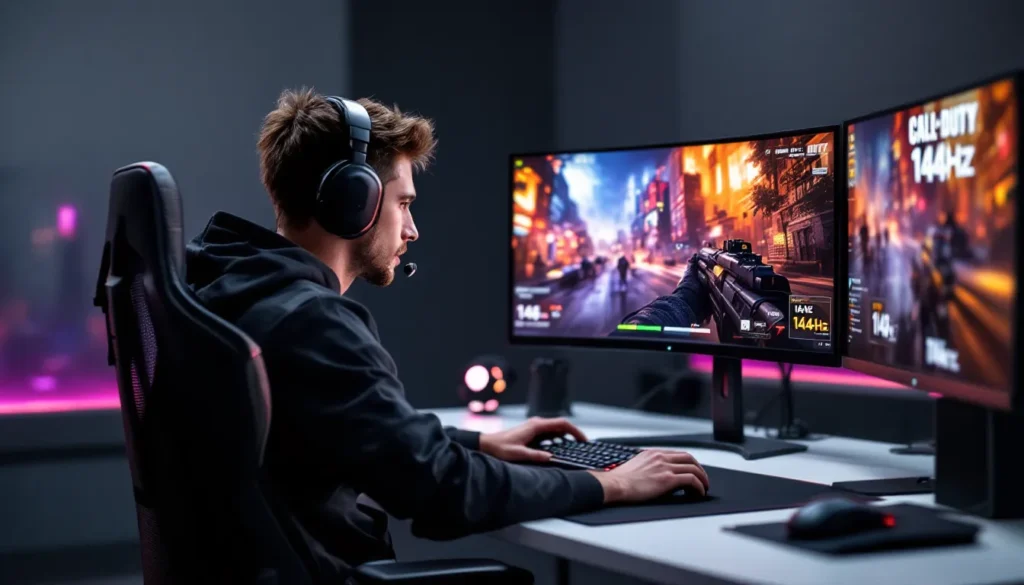
- 1920×1080 resolution at 144Hz+ with motion blur disabled provides the competitive sweet spot for spotting enemies and reacting faster in Call of Duty multiplayer.
- Master map knowledge by identifying high-traffic zones and power positions that overlook multiple sightlines, then use spawn logic to predict enemy rotations and prevent tunnel vision.
- Crosshair placement and pre-aiming angles at head level before enemies appear reduces the distance your aim must travel and is the single most impactful aiming skill to develop.
- Network latency below 50ms with stable, wired Ethernet connections gives you a tangible advantage—consistent ping matters more than absolute low latency in gunfights.
- Game sense and positioning beat raw aim; a player with 60% accuracy and elite map knowledge will consistently outplay someone with 75% accuracy but poor situational awareness.
Understanding Call of Duty Exploits vs. Cheating
There’s a critical distinction gamers need to understand: exploits are bugs or unintended mechanics players can leverage within the game’s code, while cheating involves third-party software or modifications that fundamentally break the game. One gets you banned. The other just gets you labeled as a sweat.
Legal In-Game Exploits and Glitches
Legal exploits are unintended game mechanics that aren’t against the Terms of Service. Think out-of-map routes, animation cancels, or weapon placement tricks that creative players discover. These shift over time, a glitch discovered in patch 1.23 might be patched by 1.24. The key is timing.
Examples include:
- Climbing spots that let you reach unconventional positions (often patched within weeks of discovery)
- Animation cancels with certain streaks or killstreaks that compress reload times
- Wall-breach locations in multiplayer maps that get fixed after dev awareness
- Weapon tuning quirks where specific attachment combinations exceed intended damage thresholds (before rebalancing)
The difference between an exploit and a patch-worthy bug is whether developers consider it gameplay-breaking. Most minor exploits exist in the grey zone, not explicitly prohibited, but subject to immediate removal once identified. Reddit and Discord communities actively document these, but they vanish fast once Infinity Ward, Sledgehammer, or Treyarch push updates.
Why Cheating Ruins the Game
Using aimbots, wallhacks, or other cheat software is fundamentally different from exploiting glitches. It’s against the Terms of Service, detectable by anti-cheat systems, and results in permanent bans. Beyond the account loss, cheating destroys the competitive integrity that makes Call of Duty worth playing.
Modern anti-cheat (like Ricochet for Warzone and multiplayer) is aggressive and improving constantly. Getting caught doesn’t just mean losing your main account, it can flag your hardware ID, making future accounts riskier. The risk-to-reward is terrible. You get a few weeks of dominance, then a lifetime of being known as the player who got nuked for hacking.
Pro Camera Settings and Sensitivity Adjustments
Your camera settings are the foundation of everything else. A high-rank player with bad sensitivity is like a professional driver with misaligned wheels, the talent’s there, but the fundamentals sabotage execution.
Finding Your Optimal Mouse or Controller Sensitivity
Mouse and controller players approach sensitivity differently, but the principle is identical: your settings should let you track targets smoothly while enabling quick flick reactions.
For Mouse Players:
- Start at 400–800 DPI (depending on your mousepad size and desk space)
- In-game sensitivity should sit between 5–12, adjusted so a full mousepad swipe equals roughly 20–25 inches of in-game rotation
- Test across maps: your sensitivity should feel equally natural for long-range AR engagements and close-quarters hip-fire
- Lower sensitivity (5–8) favors precision: higher sensitivity (10–12) rewards flick reactions
Pro players tracked on ProSettings typically cluster around 6–9 sensitivity with 400–800 DPI, though standouts like Crimsix and Shotzzy vary slightly.
For Controller Players:
- Horizontal and vertical sensitivity should match (avoid asymmetry unless you’re specifically training muscle memory)
- Start at 8–10 sensitivity: many competitive players land at 9
- Look Deadzone: Keep this tight (0.05–0.08). Dead zones over 0.10 create input lag that costs gunfights
- Aim Assist Type: Rotate through Standard, Precision, and Focused to find which feels most natural. Precision is stricter: Focused is forgiving
- Controller Response Curve: Linear response is fastest but demands precision: Dynamic Curve is slower but more forgiving
The Call of Duty competitive scene has standardized around 9–11 sensitivity with tight deadzone settings. But, newer titles sometimes tweak aim assist behavior, so if you update to the latest season, test your settings in private matches first.
Display Settings for Competitive Advantage
Your monitor and graphics settings directly impact how quickly you spot enemies and react.
Resolution and Refresh Rate:
- 1920×1080 (1080p) at 144Hz+ is the competitive sweet spot. It’s sharp enough to see pixel-peeping enemies, fast enough to eliminate input lag
- If you’re running a 240Hz+ monitor, you need a GPU capable of stable 200+ FPS (RTX 4070 Super, RTX 4080, PS5 with performance mode)
- Lower resolution (1728×1080 or 1792×1080) can boost FPS if you’re GPU-bottlenecked, but at the cost of visual clarity
Graphics Settings:
- Motion Blur: OFF. Motion blur is the enemy of tracking
- Field of View (FOV): Console default is 100: PC players often push 110–120. Higher FOV shows more but makes distant targets smaller
- Brightness: Calibrate so you can barely distinguish dark corners without oversaturation. Map visibility matters more than aesthetics
- Framerate Cap: Uncapped if your GPU handles it: otherwise lock it 10–20 FPS below your monitor’s refresh rate to avoid stuttering
Console players (PS5, Xbox Series X
|
S) get 120 FPS options in recent titles, which is a significant advantage over last-gen 60 FPS. If you’re on older hardware, upgrading pays dividends.
Map Knowledge and Positioning Tactics
Map knowledge separates confidence from panic. Knowing spawns, sightlines, and rotations lets you make informed decisions instead of reacting to ambushes.
Learning High-Traffic Zones and Power Positions
Every Call of Duty map has zones where engagements cluster. Power positions are spots that control multiple sightlines or high-traffic chokes.
How to Map-Read:
- Load a private match with bots to walk the full layout without pressure
- Identify 2–3 high-traffic zones per map. On Nuketown, that’s the middle lane and garage: on Shipment, literally everywhere is hotly contested
- Find 1–2 positions that have cover and overlook two or more sightlines. Hold these angles and you’ll catch rotating enemies
- Learn the spawn locations on your side of the map: enemies spawn behind you when you push forward, creating timing windows
Spawn Knowledge for Call of Duty Spawn Prediction:
Understanding spawn logic means you can prefire or predict rotations. In Domination, kills near an enemy’s home flag often trigger spawns on the opposite side of the map. If your team just killed three enemies near C, expect the next wave from the back lanes.
Positioning with spawn knowledge prevents tunnel vision. Instead of chasing kills deep into enemy territory, hold a power position, let enemies spawn around your flanks, and capitalize on their predictable rotations.
Sound Cues and Footstep Awareness
Audio is an underrated advantage. Footsteps, reloads, and ability activation sounds telegraph enemy positions before you see them.
Audio Setup:
- Use headphones (over speakers). Directional audio is critical
- In-game sound settings: prioritize “Sound Design” or “Competitive” presets that amplify footsteps and callouts
- Lower dialogue volume slightly so teammate comms don’t mask enemy audio
- Enable chat audio if playing with a squad, communication is a multiplier
Footstep Awareness:
- Sprinting footsteps are loud and directional. Identify sprinters early and pre-aim chokes
- Tac-sprinting (if your game supports it) is louder than regular sprinting. Tac-sprinters are aggressive and predictable
- Reload sounds pinpoint enemies mid-reload, a 2-3 second vulnerability window. If you hear one, engage
- Ability activation (tactical grenades, streaks, equipment) signals enemy positioning. Someone using a UAV near your location just told you they’re there
Good players mute voice comms in ranked play to isolate enemy audio from team chatter. You can toggle back in emergency callouts. This level of attention detail separates good players from great ones.
Loadout Optimization for Different Playstyles
Your loadout is your identity in Call of Duty. A sniper-focused build plays nothing like an SMG rush class, and both are valid, it’s about coherence and purpose.
Weapon Selection and Attachments
Weapon balance shifts with patches. As of 2026 meta, here’s the competitive landscape:
Assault Rifles (AR):
- Dominant at medium range, balanced for multiplayer
- XM4, GPMG7, and recent variants lead the tier list
- Attachments: Optic (VLK 4.20x, Microflex LED for CQB), barrel for range, grip for recoil control, magazine for ammo
Submachine Guns (SMG):
- Close-quarters beasts with fast TTK (time-to-kill)
- Jackal PDW, Kompakt 92, and GPMG-Compact variants excel in tight maps like Shipment
- Loadout: Suppressor for stealth, extended magazine, stock for ADS speed, grip tape
Sniper Rifles:
- One-shot kills but slower rate of fire: high skill floor
- JW Dragoon, LW3A1 Frostline lead the marksman niche
- Setup: Sniper scope, suppressor, stability attachments, fast-reload stock
Tactical Rifles:
- Semi-auto precision weapons: lower TTK than snipers but faster
- SWAT 5.56, SVU Modern hybrid playstyle
- Rarely meta in pure multiplayer but shine in Warzone for mid-range control
Attachment philosophy: Every attachment should serve a purpose. Don’t stack stability if your weapon already has tight recoil. Don’t sacrifice ADS speed for a stat you won’t use. Loadout balance matters more than min-maxing a single stat.
For detailed breakdowns on specific weapon tuning, The Loadout tracks meta shifts and provides tier lists updated per season.
Perk Combinations for Maximum Effect
Perks are passive bonuses that reinforce playstyle. Mismatched perks waste potential.
Tier 1 Perks (Spawning/Survival):
- Double Time: Sprint duration doubled. Essential for rushers who cover distance fast
- Tracker: Footstep audio enhanced, recent kills visible on radar. Perfect for aggro anchors
- Paranoia: Alerts you when enemies target your location. Defensive anchor play
Tier 2 Perks (Gunplay/Positioning):
- Sleight of Hand: Faster reload. Universal on SMGs and ARs
- Spycraft: See enemy equipment through walls. Enables gadget-denial plays
- Dexterity: Faster weapon swap and ADS after sprinting. High-octane multiplayer
Tier 3 Perks (Killstreak/Longevity):
- Gearhead: Reducing ability cooldowns on eliminations. Reward aggressive play
- Ghost: Undetectable by UAVs while moving. Ranked staple for tactical players
- Steady Aim: Hip-fire accuracy and flinch resistance. SMG close-quarters synergy
Example Loadout (Aggressive AR player):
Double Time + Sleight of Hand + Gearhead. This builds a player who sprints map control, reloads fast, and chains killstreaks.
Example Loadout (Defensive Sniper):
Tracker + Dexterity + Ghost. A sniper who hears footsteps, swaps to sidearm fast if rushed, and stays off radar.
Perk synergy matters. Don’t just grab the “best” perks, choose three that complement your weapon and playstyle.
Advanced Aiming Techniques and Training Methods
Raw aim isn’t innate, it’s trained. Professional esports players invest hours in deliberate practice. You can accelerate improvement with structured technique.
Crosshair Placement and Pre-Aiming Angles
Crosshair placement is the single most impactful aiming skill. It means positioning your crosshair where you expect an enemy before they appear. Pre-aiming is the same concept applied to known sightlines.
Crosshair Height:
- Position your crosshair at head level on common paths. This reduces the distance your aim must travel
- In doorways, aim at the upper-center of the door frame. Most enemies push through waist-high: headshots come naturally
- Adjust for map elevation. On multi-level maps, pre-aim higher when watching upper routes
Pre-Aiming Angles:
- If you’re holding a sightline toward a specific corner, angle your crosshair just ahead of the corner (“off-angle”).
- Off-angle pre-aims catch enemies before they fully expose themselves
- Example: Holding a hallway with a doorway at the end. Place your crosshair 6 inches left of the door. When an enemy exits, they’re exposed before your crosshair needs to move
Peeking and Positioning:
- Swing wide. Narrow peeks limit your view and allow defenders to isolate you
- Swing predictably at first, then vary timing. Telegraphed peeks die fast: timing variations catch pre-aimers
- If you know an angle is held, trade fire carefully or rotate. Brute-forcing a pre-aimed defender wastes utility
Aim Training Tools and Practice Routines
Aim training software replicates Call of Duty aiming without gameplay pressure. Tools like Aim Lab and Valorant’s range have Call of Duty-specific scenarios.
Recommended Routine (30 minutes daily):
- Warmup (10 minutes): Run a simple tracking scenario at 50% game speed. Precision, not speed. Focus on smooth tracking
- Flick Training (10 minutes): Static targets, fast acquisition. Practice snappy flicks without overshooting
- Scenario Match (10 minutes): Full-speed, high-difficulty scenario that mimics multiplayer engagements. This is your stress test
Alternatively, many professionals skip aim trainers entirely and run DM (Deathmatch) drills in-game:
- Load Team Deathmatch on a small map (Shipment, Nuketown)
- Focus on crosshair placement and target priority
- Don’t worry about K/D, focus on clean engagements
- Review replays of failed gunfights to identify mistakes (bad pre-aim, missed flicks, poor position)
Practice philosophy: Quality over volume. One focused 30-minute session beats four hours of mindless grinding. Track your progress weekly. Aim improvement is gradual, expect 5–10% accuracy gains per month with deliberate practice.
For structured guides on pro player habits, Dexerto covers pro players’ training routines and hardware setups.
Network Optimization and Reducing Latency
Latency (ping) is your enemy. The lower your ping, the more time you have to react and the more forgiving your aim is. A 30ms player has a tangible advantage over a 100ms player in identical aim scenarios.
Connection Settings and Router Configuration
Ethernet over WiFi:
- Use a wired Ethernet connection if at all possible. Ethernet is stable and low-latency: WiFi introduces variability and jitter
- If WiFi is mandatory, position yourself near the router and minimize interference (microwave, other devices)
Router Optimization:
- Enable QoS (Quality of Service) on your router and prioritize your gaming device
- Disable Wifi bands you’re not using (5GHz if you’re on 2.4GHz) to reduce interference
- Restart your router weekly. It’s crude but effective, routers accumulate memory bloat
- If your router supports it, enable WiFi 6 (802.11ax) for lower latency on wireless connections
In-Game Settings:
- Disable voice chat audio compression if available, uncompressed audio has lower latency
- Set Network Performance to “Bandwidth Preferred” if latency is inconsistent
- Frame rate should exceed your monitor’s refresh rate by 10–20 FPS to eliminate input lag from frame queue
Firewall/NAT:
- Open your NAT type if possible (usually 1–2 ports in your router settings). Strict NAT increases matchmaking time and occasionally causes lag
- Don’t expose your gaming PC entirely: just forward the specific ports Call of Duty uses
Choosing the Right Server Region
Server selection is automatic in most Call of Duty titles, but understanding region logic helps you diagnose lag spikes.
Ping Hierarchy:
- Closest server geographically = lowest ping
- If you’re in the US but getting matched on EU servers during off-hours, your ping spikes
- Some regions have better server stability. US and EU servers are generally more stable than others
Practical Optimization:
- Play during peak hours in your region. Off-peak matchmaking sometimes assigns distant servers
- If matchmaking allows manual server selection (Warzone occasionally does), choose your nearest region explicitly
- Monitor your ping in-match. Spikes above 80ms are noticeable: above 120ms becomes frustrating
A player with stable 50ms ping will outplay a player with 50ms average but 100ms spikes. Consistency beats absolute low latency.
Common Mistakes Players Make and How to Avoid Them
Even skilled players have blindspots. Here are habits that hold players back and how to correct them.
Mistake #1: Ignoring Game Sense in Favor of Pure Aim
Aim wins gunfights. Game sense wins rounds. Poor positioning forces you into unfavorable engagements no amount of accuracy fixes. A player with 60% accuracy and elite map knowledge beats a player with 75% accuracy but situational unawareness.
Fix: Watch killcams and replay reviews. Identify whether you died to better aim or worse positioning. If it’s positioning, adjust your rotation routes.
Mistake #2: Greedy Reloads and Peeking
Reloading in the open or peeking unnecessarily extends your vulnerability window. Enemies punish these habits instantly.
Fix: Reload behind cover. Peek only when you have information or objective reason. Patience beats paranoia, holding a position is often better than repositioning.
Mistake #3: Tunnel Vision on Kills
Chasing a low-health enemy into unexplored territory leaves you vulnerable to flanks and pushes. K/D matters less than objective control and staying alive.
Fix: Clear your surroundings before pursuing. In objective modes, trade kills for map control, a kill deep in enemy territory is worse than staying alive to defend the flag.
Mistake #4: Static Positioning
Holding the same angle for too long gets you pre-aimed and isolated. Rotate every 10–15 seconds unless actively holding a power position.
Fix: Play off-angles and move unpredictably. If you held a doorway for 10 seconds, move to a different angle on the same sightline.
Mistake #5: Ignoring Team Spawns and Callouts
Not communicating positions or callouts loses critical information. Your teammate doesn’t know there’s an enemy planted in the corner you just saw.
Fix: Use in-game pings, callouts, and minimap markers. If using Call of Duty Hueneme Negev or other LMGs defensively, communicate your area to prevent team wandering into your sightlines.
Mistake #6: Chasing Streaks Instead of Objectives
In objective modes (Domination, Search & Destroy, Hardpoint), prioritize the objective. A 10-streak means nothing if your team loses the round.
Fix: Switch mentality based on mode. In TDM, kills are the metric. In objective modes, they’re secondary to flag captures, bomb plants, or point holds.
Staying Safe: Anti-Cheat Detection and Account Security
Winning with legitimate skill is worth more than any shortcut. Protecting your account and avoiding risky software keeps you in the game long-term.
Anti-Cheat Systems:
Call of Duty’s Ricochet anti-cheat has gotten increasingly aggressive, which is good. It detects:
- Aimbots and wallhacks via behavioral analysis (inhuman headshot consistency, reaction times)
- Cheat software via kernel-level monitoring (Ricochet runs deep in your system)
- Suspicious account activity (impossible skill jumps, anomalies in play patterns)
False positives are rare but exist. If you’re falsely banned, Activision’s appeals process is slow but consistent. But, the appeal rate for cheating bans is near-zero, most bans are correct.
Account Security Best Practices:
- Two-Factor Authentication (2FA): Enable it on your Activision account immediately. Compromised accounts are sold or used for banned activity
- Unique Passwords: Don’t reuse passwords across gaming accounts. A breach on one site compromises all
- Avoid Third-Party Mods: Even minor mods (UI overlays, third-party trainers) can trigger anti-cheat. If it’s not from Activision, it’s risky
- Regular Password Changes: Update your Activision password every 3–6 months
- Monitor Linked Devices: Check your Activision account’s connected devices. Unlink any you don’t recognize
VPN and Proxies:
Using a VPN to access Call of Duty isn’t inherently bannable, but it looks suspicious to anti-cheat systems. If you use a VPN for privacy reasons, whitelist Call of Duty’s servers to ensure clean detection.
Competitive Integrity:
Playable with a clear conscience. Knowing you earned your rank and wins creates genuine satisfaction, something cheaters never experience. The players you respect most in esports earned that respect through clean play and thousands of hours of grind.
On Call of Duty Mask guides and other specialized builds, skill expression and legitimate tactics are what differentiate pros from casuals. That separation is real, earned, and worth the investment.
Conclusion
Dominating Call of Duty in 2026 isn’t about exploits or shortcuts, it’s about fundamentals. Optimizing your settings, mastering maps, training your aim, and playing with purpose compound into genuine skill.
Start with one focus area. If your aim feels loose, spend two weeks on training routines. If you’re dying to rotations, deep-dive map knowledge. If your settings feel off, nail down sensitivity and display settings.
Progress is nonlinear. You’ll have sessions where everything clicks and others where you whiff easy shots. That’s normal. Consistent improvement comes from deliberate practice, not from hoping for hacks.
The best “exploits” are the ones you create yourself, finding rotations opponents don’t expect, holding angles they don’t anticipate, or predicting their spawns before they hit the ground. Those are skills. Master them, and you’ll run this game.